What Is an M3U File? How M3U Playlists Work and How to Open One
An M3U file is a plain text playlist that lists media addresses in order. Learn the M3U format, the EXTINF tags, the difference with M3U8, and how to open an M3U playlist.

Inhalt
01What M3U stands for02The simplest M3U file03Extended M3U: #EXTM3U and #EXTINF04M3U vs M3U805How to open an M3U file06Why some entries do not play07Use playlists you have the right to useAn M3U file is a playlist. It does not contain any video or audio itself; it is a plain text list of addresses that a player opens one after another. That simplicity is why M3U playlists are everywhere, from music folders to live channel lists, and why almost every media player can read them.
This guide explains the M3U format line by line, the extra tags you will see in channel playlists, how M3U differs from M3U8, and how to open an M3U file.
What M3U stands for
M3U comes from MP3 URL. It started as a way to list music files for desktop players, and the same idea now lists anything a player can stream: audio, video files, live channels and HLS streams.
The simplest M3U file
At its most basic, an M3U file is one address per line:
https://media.example.com/video/episode-1.mp4
https://media.example.com/video/episode-2.mp4
/Users/me/Music/track-03.mp3
A player reads the lines in order. Lines can be web addresses or paths to files on your own computer.
Extended M3U: #EXTM3U and #EXTINF
Most playlists you will meet use the extended format. It begins with a #EXTM3U header and adds an #EXTINF line above each entry:
#EXTM3U x-tvg-url="https://guide.example.com/epg.xml"
#EXTINF:-1 tvg-id="harbor.news" tvg-logo="https://img.example.com/harbor.png" group-title="News",Harbor News
https://live.example.com/harbor/index.m3u8
#EXTINF:-1 tvg-id="northbound.tv" group-title="Documentary",Northbound
https://live.example.com/northbound/index.m3u8
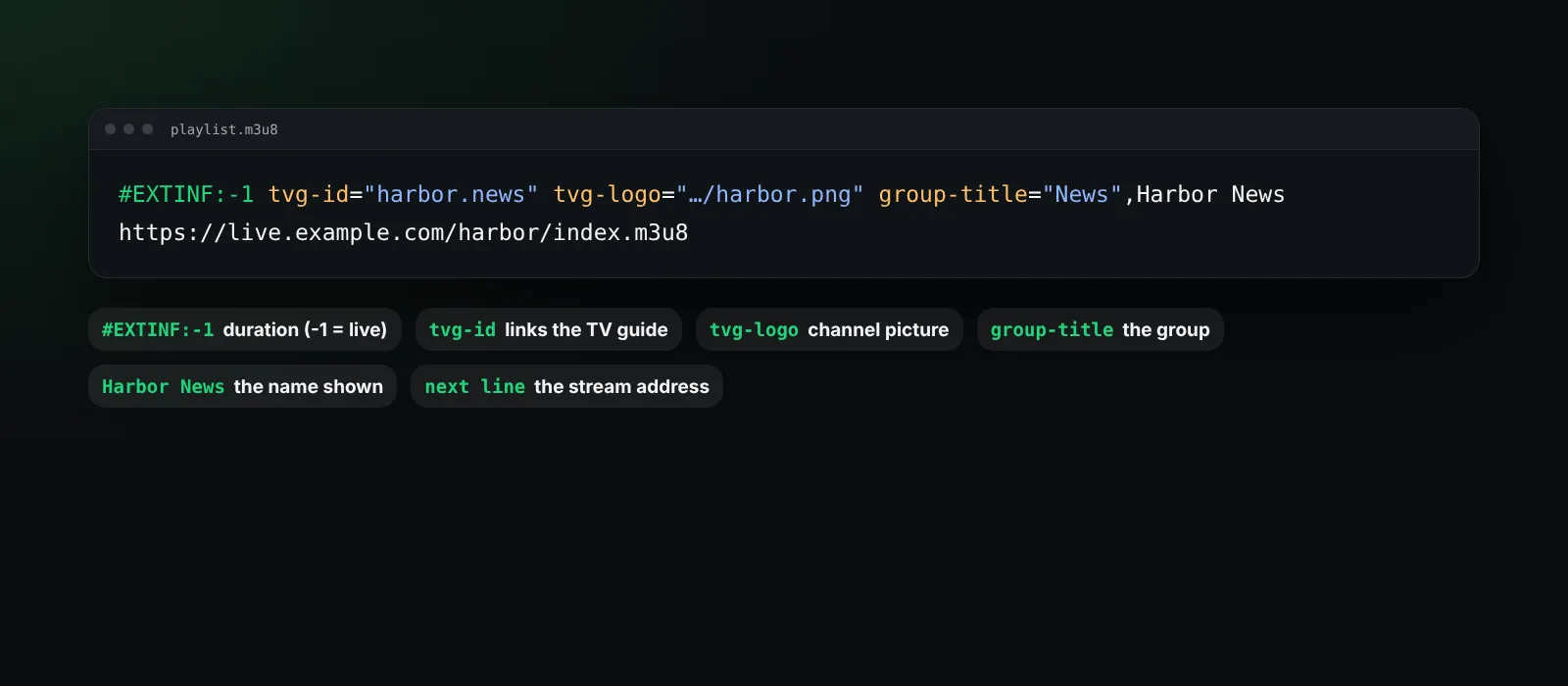
Reading an #EXTINF line from left to right:
- Duration in seconds.
-1means unknown or endless, which is normal for live channels. - Attributes in
key="value"form. The common ones aretvg-id(an identifier used to match the programme guide),tvg-name,tvg-logo(a picture for the channel) andgroup-title(the category the channel belongs to). - The display name after the comma: what the player shows in the list.
- The address on the next line.
The header can also carry a guide address with x-tvg-url or url-tvg. Players such as BetterStream use it to fetch an XMLTV programme guide and show what is on now and next. Our guide to what is an EPG explains how that matching works.
M3U vs M3U8
The two are the same format with one difference: M3U8 is always encoded in UTF-8, so names in any language display correctly. Plain .m3u files may use an older local encoding.
You will also see .m3u8 used for something more specific: the playlists that drive HLS streaming. Those files list short video segments rather than whole videos or channels. If that is what you have, read what is M3U8.
How to open an M3U file
- To read or edit it: open it in any text editor. It is just text.
- To play it: open it in a media player that supports playlists. In the BetterStream browser extension, open Plugins, choose Add plugin and paste the address of the M3U or M3U8 playlist. BetterStream reads the groups and names, lists channels in Live TV or titles on Home, and remembers where you stopped.
If your playlist is a file on your computer rather than an address, our guide on how to play an M3U playlist covers the options.
Why some entries do not play
An M3U file is only a list. Whether each entry plays depends on the address behind it:
- The stream may have moved or gone offline. Large lists often contain many dead entries; BetterStream checks channels in the background and hides the ones that do not answer.
- Some addresses need a login or a specific app.
- Some formats cannot play inside a browser.
Use playlists you have the right to use
M3U is a neutral format. Broadcasters, schools, companies and creators publish M3U and M3U8 links for their own content, and many TV services give subscribers a playlist for their account. Only add playlists you are allowed to use where you live. BetterStream comes empty and does not provide or recommend playlists.
Frequently asked questions
Is an M3U file a video?
No. It is a text file with a list of addresses. The video stays wherever the addresses point.
Can I edit an M3U file?
Yes, with any text editor. See how to make and edit an M3U playlist for a step-by-step guide.
What is the difference between M3U and M3U8?
M3U8 is the same format saved as UTF-8. The .m3u8 extension is also used for HLS stream playlists.
Why does my M3U playlist show no programme guide?
The playlist needs a guide address in its header or in your player settings, and each channel needs a tvg-id that matches the guide.
Need help adding a playlist? Visit the help center.